Moz Q&A is closed.
After more than 13 years, and tens of thousands of questions, Moz Q&A closed on 12th December 2024. Whilst we’re not completely removing the content - many posts will still be possible to view - we have locked both new posts and new replies. More details here.
How to show on Google Maps for specific areas close to me?
-
Hi there,
Im wondering the best approach to get more consistent listings for google map searches (the pins on the map) for a business.
Here is a small overview. My client provides storage services in London. His business is very local as customers will only want to use them if they are from surrounding local suburbs within the City. His business is showing on the map for some of the suburbs close to his business, but it does not actually show when you search for the closest location (suburb) that his business is located in, or other local suburbs.What would be the best approach to ensure google shows a pin for his search results when users search for all close-by suburbs to his business address? Is this possible or will it just happen over time?
He already has landing pages on his website for each of his suburbs that he is trying to target, eg: "Self Storage Camden".
-
Yes, but I'd also make sure to do it in small bits at a time. Meaning, don't change everything at once. Make a small change, wait a bit to see the results, and if they're good, then make another small change. If the results of the first change aren't what you want, then rethink your keyword strategy and try something a little different!
Good luck! Give an update in a while if you can. I'd be interested to hear what happens.
-
Thanks for the reply... ok so focus on the landing page on-site keywords a bit more then.. is that what you were saying?
Cheers,
-
I think the tactic to use here might be to create some "localized keywords"; or put another way, to reference areas that might be interested in your clients service on their website.
I helped rework the website of one of my clients, and this was something we did for each of their branches (they exist in several major cities). Using references to those cities and areas nearby, we've increased traffic to each branch through those references.
I'm pretty sure Google Maps uses a combination of location-based SEO, general SEO, and zip-code structures in its algorithm for maps; so keep that in mind too!
Hope that helps!


Got a burning SEO question?
Subscribe to Moz Pro to gain full access to Q&A, answer questions, and ask your own.
Browse Questions
Explore more categories
-
Moz Tools
Chat with the community about the Moz tools.
-
SEO Tactics
Discuss the SEO process with fellow marketers
-
Community
Discuss industry events, jobs, and news!
-
Digital Marketing
Chat about tactics outside of SEO
-
Research & Trends
Dive into research and trends in the search industry.
-
Support
Connect on product support and feature requests.
Related Questions
-

Local Ranking with No Physical Address in New Service Area - How to Rank?
OK, SO, I am a wedding company in Maui, Hawaii and have an established business on one island with a physical address. http://simplemauiwedding.net We have started a new team in Oahu, Hawaii http://simpleoahuwedding.com and we provide service there and have a full team in place. How can I rank for Local Search on that Island with no physical address? I would love to hear some proven strategies. Thank you 🙂
Local Listings | | photoseo10 -

How do you fix a Google My Business Location Issue if the road doesn't yet exist on Google Maps?
My core question is just: How do you fix a Google My Business Location Issue if the road doesn't yet exist on Google Maps? Do I have any other options other than to just wait on Google to catch up with reality? Here's the background: I work for a hospital. We just opened a clinic on a street that is real and has a U.S. Postal Address, but Google Maps doesn't recognize it, and redirects people to a house . This is our postal address: 8343 S 168th Ave Omaha NE 68136-1677 If a patient enters the following into google maps, 8343 S 168th Ave, the location the map autofills the wrong zip code, and sends them to a home that is on S 168th Ave. (where in theory a home would exist if it had that home number). The road does exist in that portion of town. If a patient enters 8343 S 168th Ave, Omaha NE 68136, google maps takes you to the correct location, but it automatically changes Ave to St. The verified Google My Business listing also lists it as Street, even though on the back end I've put in the word Avenue, and it shows up in the right place. If however someone just searches by name "Chalco Clinic" the right Google My Business comes up. This is the Google My Business page I'm referring to: https://www.google.com/maps/place/Nebraska+Medicine+-+Chalco/@41.1754796,-96.1787153,15z/data=!4m5!3m4!1s0x0:0xf77aefb4e27f865!8m2!3d41.1754796!4d-96.1787153 And even though it says it's on a Street, on the back end of the claimed listing I've used "Avenue". In case it matters, this is the landing page for the location: https://www.nebraskamed.com/chalco
Local Listings | | Patrick_at_Nebraska_Medicine0 -

Improve Google Business ranking
While my client's websites have been ranking well in SERP for their keyterms I'm at a lost on what I can do to improve their Google business/map presence. I'm referring to their listing where the top three come up or when you search on Google Maps.
Local Listings | | FPK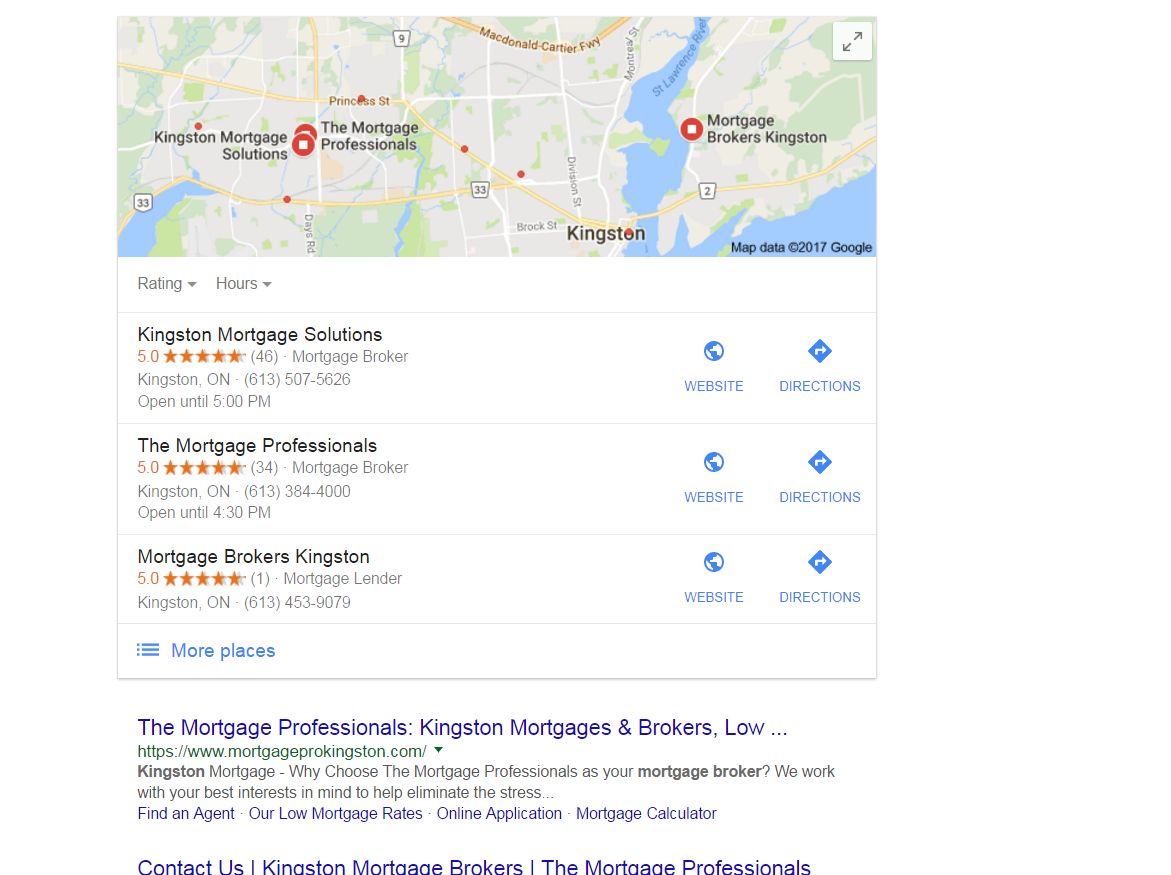
https://gyazo.com/26ec78ed7f712157ec72492199545431 Ex 1. Several months ago my client was ranked #1 both for SERP and maps until they dropped to 2nd on maps. Now they're ranked 1st in search yet 2nd for local business rankings as you can see from the screenshot above. At one point my client's business did have more reviews than the 1st ranking business yet they still weren't 1st. Ex. 2. Client(s) is ranked 4th in search and doesn't show in the top 3 map listings for their search term. If you click on More places to view Google Maps they're listed all the way down as the 15th listing or worse can't even be found when searching by their main SEO key term . Of course they are found by searching for their business name so it's not like there is a problem with the listing. I make sure to: Completely fill out their Google Business profile(NAP, hours and add pictures) Have my client try to gain positive reviews Manage and respond to reviews(mainly the negative ones) Add map and Google business link to their website Can anyone offer any other insight on what else can be done to improve their local presence on maps that I might be missing?0 -

Business Name Not Showing Up in Google's Maps
I have a client whose name in not currently showing up on Google maps. Their business location only shows once their name or related keywords are searched, but their business name does not show when you only look for it on the map regardless of how far zoomed in you are to the actual location. I am wondering if anyone else has experienced this, or knows of a way to fix this. I have already contacted Google multiple times, and they told me that “business’ names are just randomly pulled”. The client is an HVAC store front business with good rankings and a fully optimized Google profile, so these reasons did not answer the issue. Client’s GMB profile: https://www.google.com/search?sourceid=chrome-psyapi2&ion=1&espv=2&ie=UTF-8&q=rothheating oak creeek&oq=rothheating oak creeek&rlz=1C1JPGB_enUS685US685&aqs=chrome..69i57j0.5919j0j4 DBZfF
Local Listings | | JohnWeb120 -

How do I treat multiple buildings on the same college campus on Google for local SEO?
Should I delete them? Simply give them a different address like "City, State, Zip"? I see the benefit of having key buildings on campus in Google Maps, but I don't want those to affect my accuracy score and, thus, my local rankings for SEO.
Local Listings | | GabeGibitz1 -

Disadvantages to Hiding Business Address on Google Places?
From a Local SEO standpoint, wouldn't hiding a business address on Google Places for Business create an SEO disadvantage in that I would expect in the local portion of the search results, there would be a bias to showing businesses that have not hidden their address as then you can place a pin on the map at the location? Or from a Local SEO standpoint does it not matter if you hide your address or not?
Local Listings | | Jazee1 -

Google My Business - two locations but same name and phone
Hello, I manage SEO for an orthopaedic practice and I'm wondering what to do about their GMB listings. They have two locations, but I'm starting to think we shouldn't have separate GMB pages for the two locations because of the advice about other GMB questions I've been reading on this forum. I read a helpful response that said you must ensure the following if you want to create separate GMB listings: Unique name Unique address (even if only a suite / office number) Unique phone number Clearly different categories on Google My Business I can only ensure one of those - unique address. The business has the same name, phone number, and categories at both addresses. What should I do about this? I would think it's important to list both addresses so that patients can be guided to the appropriate location, but is there a way to do that with just one GMB listing? Thank you, Susannah
Local Listings | | SusannahK.Noel0 -

Does embedding Google map help local SEO?
Hi I am curious if adding a embedded Google map to a footer helps for Local seo? Thank you
Local Listings | | Berner1