Moz Q&A is closed.
After more than 13 years, and tens of thousands of questions, Moz Q&A closed on 12th December 2024. Whilst we’re not completely removing the content - many posts will still be possible to view - we have locked both new posts and new replies. More details here.
Unsolved Temporary redirect from 302 to 301 for PNG File?
-
#302HTTP #temporaryredirect
Hi everyone,Recently I have faced a crawl issue with my media images on website. For example this page url https://intreface.com/wp-content/uploads/2022/12/Horion-screen-side-2.png has 302 HTTP Status and the recommendation is to change it 301. I have read the article on temporary redirections here:
https://moz.rainyclouds.online/learn/seo/redirection?_ga=2.45324708.1293586627.1702571936-916254120.1702571936
but its not written here how to redirect in my HTML 1 image url not the landing page.
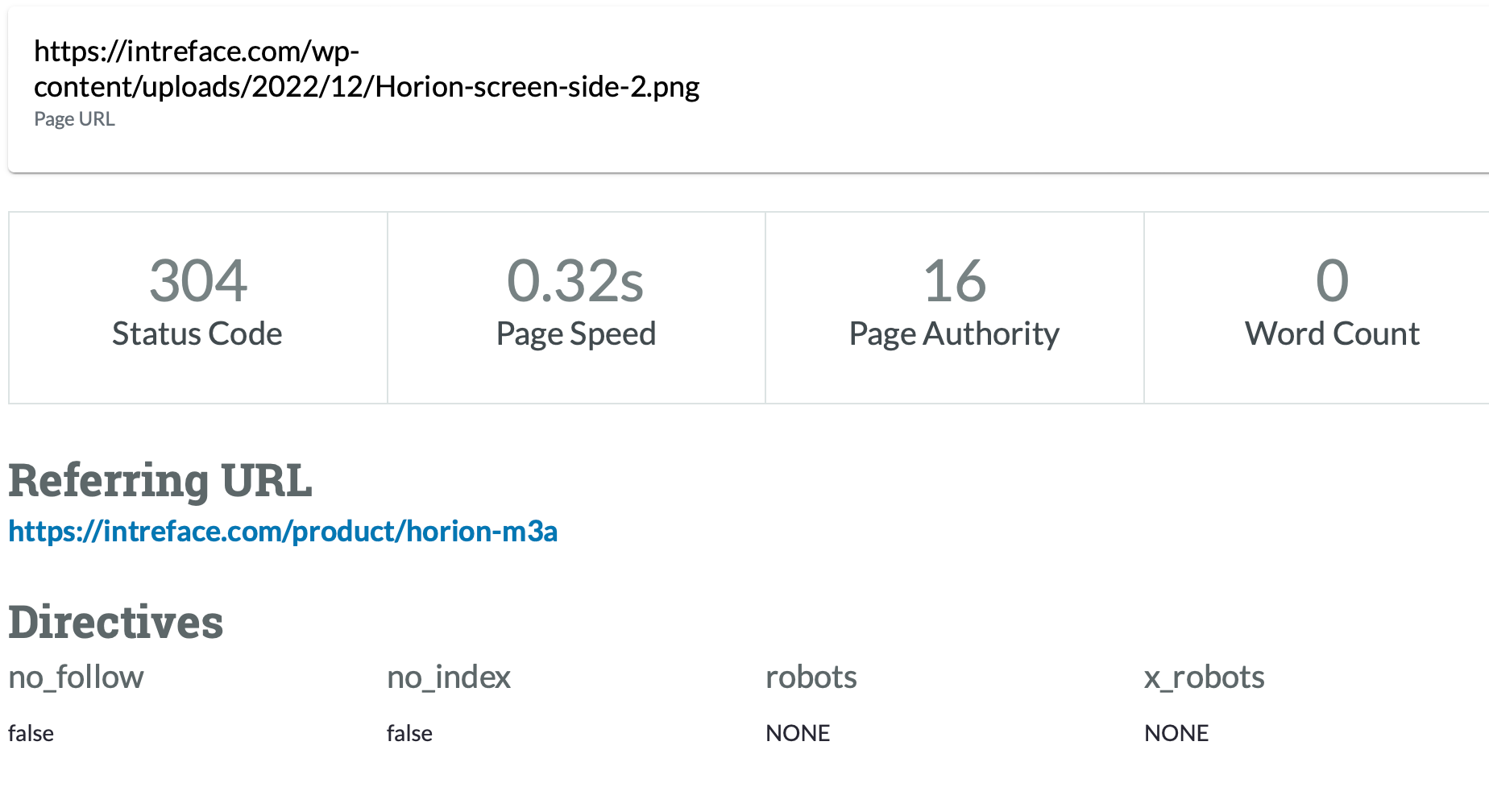
I have messaged to MOZ Support but they recommended to go for the MOZ Community!
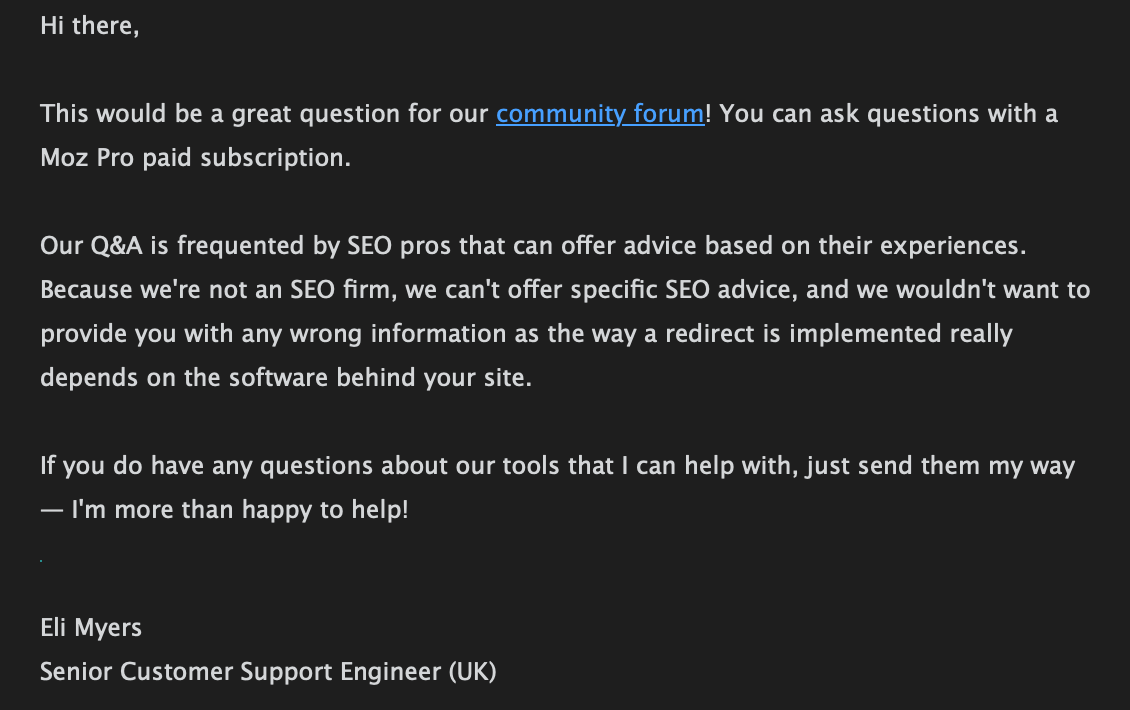
Could you assist me wit this issue please? I can reach HTTML of the necessary page and change what I need for permanent redirection but firstly I need to understand how to do that correctly.
-
@Damian_Ed-0 said in Temporary redirect from 302 to 301 for PNG File?:
Recently I have faced a crawl issue with my media images on website. For example this page url https://intreface.com/wp-content/uploads/2022/12/Horion-screen-side-2.png has 302 HTTP Status and the recommendation is to change it 301. I have read the article on temporary redirections here:
https://moz.rainyclouds.online/learn/seo/redirection?_ga=2.45324708.1293586627.1702571936-916254120.1702571936you can take help from SEO expert
-
I was facing the same issue on my WordPress Local Electric service based website. Then I used 301 Plugin. This is the best plugin. I installed it and simply redirected my old link to the new one and it automatically redirected it to 301 which google recommends.
-
@umar431 could you explain a little more about how to check if Google see this URL as 302 or 301?
@umar431 said in Temporary redirect from 302 to 301 for PNG File?:
Only if Google thinks you used a 302 redirect by mistake for a permanent move does this not happen. In that case, it treats the redirect as a 301.
-
Only if Google thinks you used a 302 redirect by mistake for a permanent move does this not happen. In that case, it treats the redirect as a 301. This means it indexes the new URL instead and consolidates link signals there.
you can visit my website for blue whatsapp




Got a burning SEO question?
Subscribe to Moz Pro to gain full access to Q&A, answer questions, and ask your own.
Browse Questions
Explore more categories
-
Moz Tools
Chat with the community about the Moz tools.
-
SEO Tactics
Discuss the SEO process with fellow marketers
-
Community
Discuss industry events, jobs, and news!
-
Digital Marketing
Chat about tactics outside of SEO
-
Research & Trends
Dive into research and trends in the search industry.
-
Support
Connect on product support and feature requests.
Related Questions
-

Multilang site: Auto redirect 301 or 302?
We need to establish if 301 or 302 response code is to be used for our auto redirects based on Accept-Language header. https://domain.com
International SEO | | fJ66doneOIdDpj
30x > https://domain.com/en
30x > https://domain.com/ru
30x > https://domain.com/de The site architecture is set up with proper inline HREFLANG.
We have read different opinions about this, Ahrefs says 302 is the correct one:
https://ahrefs.com/blog/301-vs-302-redirects/
302 redirect:
"You want to redirect users to the right version of the site for them (based on location/language)." You could argue that the root redirect is never permanent as it varies based on user language settings (302)
On the other hand, the lang specific redirects are permanent per language: IF Accept-Language header = en
https://domain.com > 301 > https://domain.com/en
IF Accept-Language header = ru
https://domain.com > 301 > https://domain.com/ru So each of these is 'permanent'. So which is the correct?0 -

301 redirects delay in picking up
Hi I have been involved in the redesign/development of a website which has up until now had a lot of international traffic. On day of migration I uploaded all the 301 redirects to the website (wordpress) using Simple 301 redirect plugin. I tested a number of them and they appeared to be working. I also submitted the new sitemaps to Search Console. Since migration international traffic - particularly from countries such as india, Phillipines, Sri Lanka etc have significantly dropped off whereas the local traffic and some of the international traffic such as USA has remained fairly consistent. Looking at Analytics and entrances recently it appears as though search results are/were showing a number of pages with 404's (one in particular which received significant traffic and for which I had created a 301 redirection) - I have checked this page using the old url and it re-directs correctly for me and today asked a colleague in India to also check - he is getting the redirection fine. Does Google.in take a significantly longer time to pick these up in search results? Or am I missing something?
Technical SEO | | musthavemarketing0 -

301 redirect relative or absolute path?
Hello everyone, Recently we've changed the URL structure on our website, and of course we had to 301 redirect the old urls to the coresponding new ones. The way the technical guys did this is: "http://www.domain.com/old-url.html" 301 redirect to "/new-url.html"
Technical SEO | | Silviu
meaning as a relative redirect path, not an absolute one like this:
"http://www.domain.com/old-url.html" 301 redirect to "http://www.domain.com/new-url.html" This happened for few thousands urls, and the fact is the organic traffic dropped for those pages after this change. (no other changes were made on these pages and the new urls are as seo friendly as possible, A grade on On-Page Grader). The question is: does the relative redirect negatively affects seo, or it counts the same as an absolute path redirect? Thanks,
S.0 -

301 redirect not working
Hi there! I have recently moved a domain that has been indexed by google and setup redirects so that it forwards to the new domain. It seems like the only redirect that actually is working is the canonical and main domain but every other page and or page nested within a folder are not working. Here is an example of some of the redirects. Am I doing this wrong? It seems to be going to the new domain but can't find the actual pages.... RewriteEngine On
Technical SEO | | twotd
RewriteBase /
RewriteCond %{HTTP_HOST} !agoodsweep.com$ [NC]
RewriteRule ^(.*)$ http://agoodsweep.com/$1 [L,R=301]
redirect 301 woodstoveservicerepair.html http://agoodsweep.com/woodstoveservicerepair/
redirect 301 /westchesterchimney.html http://agoodsweep.com/west-chester-chimney/ Thanks in advance for any help!!0 -

Can I remove 301 redirects after some time?
Hello, We have an very large number of 301 redirects on our site and would like to find a way to remove some of them. Is there a time frame after which Google does not need a 301 any more? For example if A is 301 redirected to B, does Google know after a while not to serve A any more, and replaces any requests for A with B? How about any links that go to A? Or: Is the only option to have all links that pointed to A point to B and then the 301 can be removed after some time? Thank you for you you help!
Technical SEO | | Veva0 -
Does it really matter to maintain 301 redirect after de-indexing of old URLs?
Today, I was reading latest blog post on SEOmoz blog about. Uncrawled 301s - A Quick Fix for When Relaunches Go Too Well This is very interesting study about 301 & How it useful to maintain traffic. I'm working on eCommerce website and I have done similar stuff on my website. I have big confusion to manage 301 redirect. My website generates new URLs due to following actions. Re-write dynamic URLs. Re-launch entire website on different eCommerce platform. [osCommerce to Magento Commerce] Re-name category. Trasfer one product from one category to another category. I'm managing my 301 redirect with old practice. Excel sheet data from Google webmaster tools and set specific new URLs for redirect. Hoooo... Now, I have 8.5K redirect in htaccess... And, I'm thinking it's too much. Can we remove old 301 redirect from htaccess or not? This is big question for me. Because, all pages are not hyperlink on external website. Google have just de-indexed old URLs and indexed new URLs. So, Is it require to maintain 301 redirect after Google process?
Technical SEO | | CommercePundit0 -

What tools produce a complete list of all URLs for 301 redirects?
I am project managing the rebuild of a major corporate website and need to set up 301 redirects from the old pages to the new ones. The problem is that the old site sits on multiple CMS platforms so there is no way I can get a list of pages from the old CMS. Is there a good tool out there that will crawl through all the sites and produce a nice spreadsheet with all the URLs on it? Somebody mentioned Xenu but I have never used it. Any recommendations? Thanks -Adrian
Technical SEO | | Adrian_Kingwell0 -

How many jumps between 301 redirects is acceptable?
For example, I have a page A that should be redirected to page D, but instead A redirects to B, B redirects to C and C redirects to D. It's something I came across and wondering if its worth the dev time to change it. Thanks!
Technical SEO | | pbrothers240

